

Jenny Mod Download
Jenny Mod download is the ultimate way to bring custom companion characters, unique animations, and interactive features into your Minecraft world. Whether you are playing on a PC using Java Edition or exploring on mobile through Bedrock and APK versions, finding a safe and working file can be challenging. This page provides secure, verified download links and straightforward setup instructions so you can add this popular modification to your game without hassle.
Direct Downloads

Select your Minecraft edition below to
Download Jenny Mod latest files safely and securely.
Downloading the wrong file might result in non-functional features.
MCPE/Bedrock
Mobile, Win10, Xbox, PS
Which Jenny Mod File Do You Need?
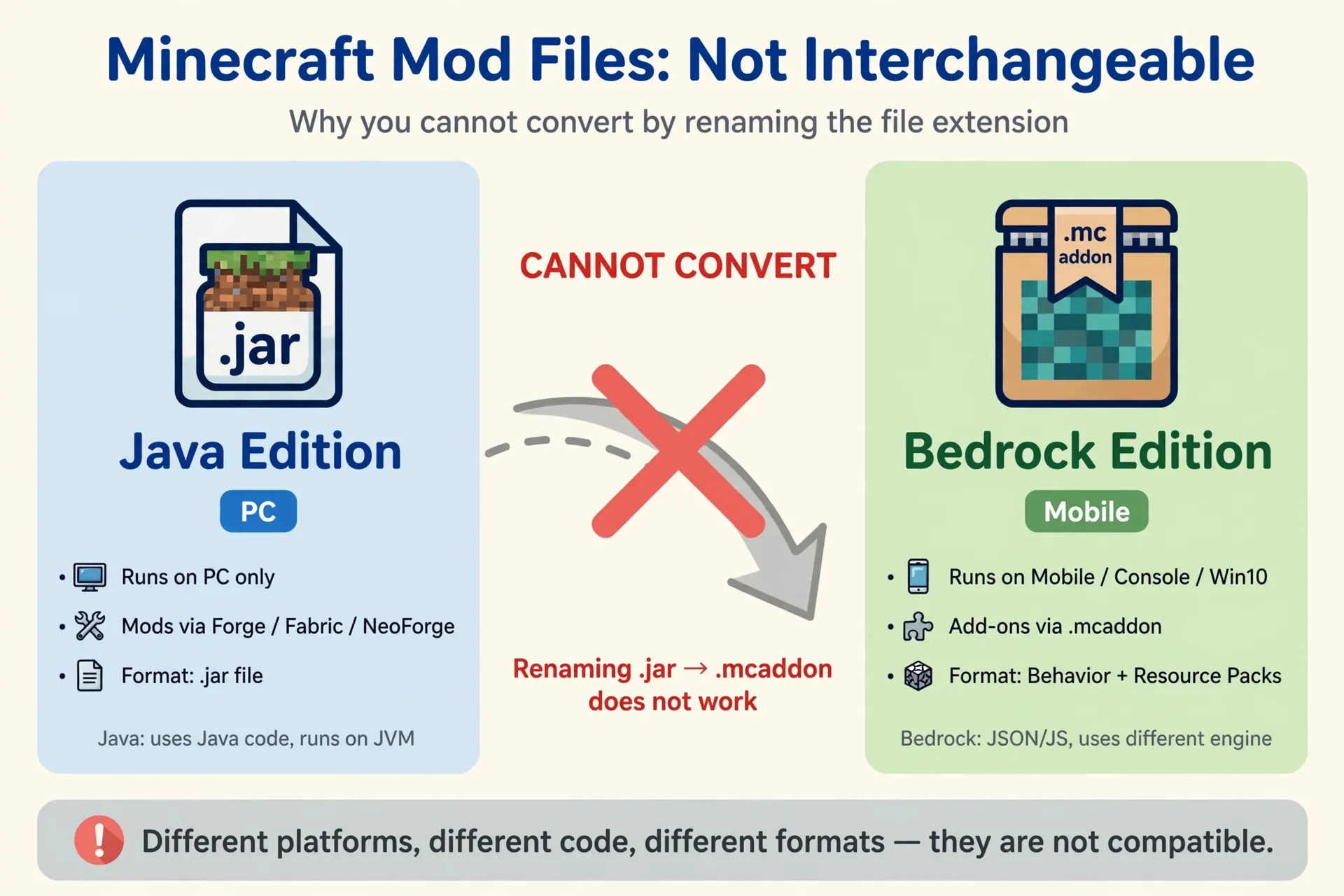
Most failed installs start right here: the player downloads the wrong file for their edition. Jenny Mod exists in two completely different formats, and they are not interchangeable. A Java .jar file does nothing inside mobile Minecraft, and a Bedrock .mcaddon file cannot load in the Java launcher. Before you tap any download button, match your edition to the correct file in this table.
| Your edition | File you need | Works on | Extra step |
|---|---|---|---|
| Java Edition | Jenny Mod .jar (v1.2.7) | Windows, Mac, Linux | Minecraft 1.12.2 with Forge 1.12.2 installed first |
| Bedrock / MCPE | Jenny add-on (.mcaddon or .mcpack) | Android, iOS, Windows 10/11, Xbox | Activate the behaviour pack and resource pack in your world, plus any experimental toggles the pack asks for |
| Android (Bedrock) | Jenny add-on (.mcaddon) | Android phones and tablets | Import the file into Minecraft, then activate both packs |
The Java release is the original mod: it adds Jenny as a full companion character with her own house, interactions, gifts and animations, and it only runs on the classic 1.12.2 version of the game. The Bedrock add-ons are separate community adaptations of the same idea, rebuilt for the mobile and console engine — features and characters can differ from the Java original. If you are not sure which edition you own, our Jenny Mod compatibility guide shows you how to check in under a minute, including the RAM your device needs (4 GB is the practical starting point, 8 GB gives a smoother experience).
What do you actually get in the download? On Java, the .jar adds the Jenny character, her spawn structure, gift and trust interactions, custom animations and the other companion characters. On Bedrock, the add-on packages the character and her behaviours into packs you switch on per world. Either way, the file itself is small — if a download page tries to give you a large installer, an .exe, or asks you to complete surveys first, close it: that is not the mod.
How to Download Jenny Mod Safely
Mod files come from community sources, so a careful download routine matters more than speed. Follow these steps every time:
- Confirm the file type first. Java Edition uses a
.jarfile; Bedrock and MCPE use.mcaddonor.mcpackpackages. An “APK” labelled as a Bedrock add-on is a red flag. - Check the version. The widely used Java release targets Minecraft 1.12.2 with matching Forge. Files claiming to support far newer versions deserve extra scrutiny.
- Scan before opening. Run every download through an antivirus scan. Our safety guide explains what to look for.
- Back up your worlds. Copy your saves folder before installing anything third-party.
Jenny Mod Version Information
The download buttons above currently point to the community releases most players use:
- Jenny Mod v1.2.7 (Java) — for Minecraft Java Edition 1.12.2 with Forge 1.12.2, on Windows, macOS, and Linux.
- Jenny Addon Bedrock (.mcpack) — for Minecraft Bedrock, including mobile (MCPE), Windows 10/11, Xbox, and PlayStation editions.
- Jenny Texture Pack (.mcpack) — optional visual pack that pairs with the Bedrock add-on.
- Fapcraft v1.0 — a separate community mod for players looking for an alternative (adults 18+ only).
Version numbers change as community creators publish updates. If a button ever serves an outdated file, check our compatibility guide for the latest version mapping.
Download Jenny Mod Safely: The 5-Point Checklist
Because the mod is shared through community sources, a two-minute safety routine protects your device and your worlds. Run through these five points every time you download a new build:
- Check the file type before you open anything. The real files end in .jar (Java) or .mcaddon / .mcpack (Bedrock). Delete anything ending in .exe, .msi, .apk from an unknown page, or a double extension like .jar.exe.
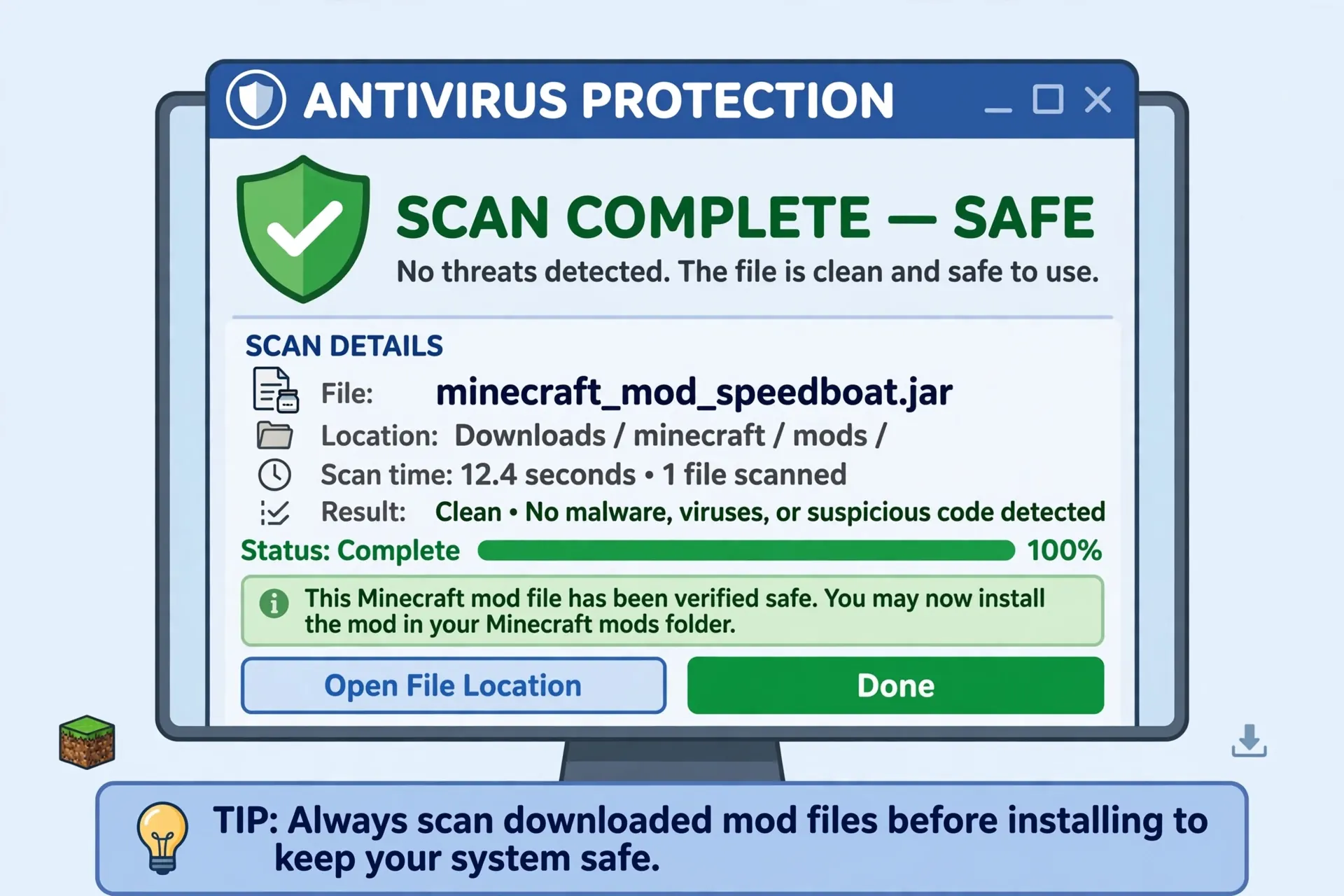
- Scan the file with your antivirus. Right-click the downloaded file and run a scan before moving it into your game folders. A clean community build passes without warnings.
- Match the version exactly. The Java build on this page is made for Minecraft 1.12.2 with Forge 1.12.2. A mismatched version is the number one cause of crashes and black screens.
- Back up your world first. Copy your favourite world folder somewhere safe before testing any new mod or add-on, so a bad build can never cost you a save.
- Test in a throwaway world. Load the mod in a fresh test world first. If Jenny spawns and behaves normally there, move to your main world with confidence.
Still unsure whether the file you found is genuine? Our full breakdown — including how we checked the files ourselves — is in the is Jenny Mod safe guide.
After Downloading: Install in 4 Steps
Downloading is only half the job. In short, installation works like this:
- Java: install Forge 1.12.2, drop the .jar into the .minecraft/mods folder, launch the Forge profile, and find Jenny’s spawn egg in the creative inventory.
- Bedrock / Android: open the .mcaddon file so Minecraft imports it, create or edit a world, and switch on both the behaviour pack and the resource pack (plus any experimental toggles the pack requests).
- First spawn: in Java, Jenny appears through her spawn egg or her structure in the world; in Bedrock, she appears once the packs are active in your world.
- If she does not appear: re-check the file type and version first — nine times out of ten the problem sits there, not in the mod itself.
For the complete walkthrough with screenshots for every platform, follow our step-by-step how to install Jenny Mod guide.
Guides for Your Edition
Playing on PC (Java Edition)? The Java version is the fullest version of the mod, but it is also the pickiest about versions: Forge must match 1.12.2 exactly, and Java 8 is the runtime it expects. Our Jenny Mod Java Edition guide covers the Forge setup, the mods folder, and the errors PC players hit most often.
Playing on an Android phone? You need the Bedrock add-on, not the .jar. The import takes a couple of taps, but the pack activation step is where most Android players get stuck — both packs must be on, in the same world. The Jenny Mod for Android guide walks through it with the exact settings.
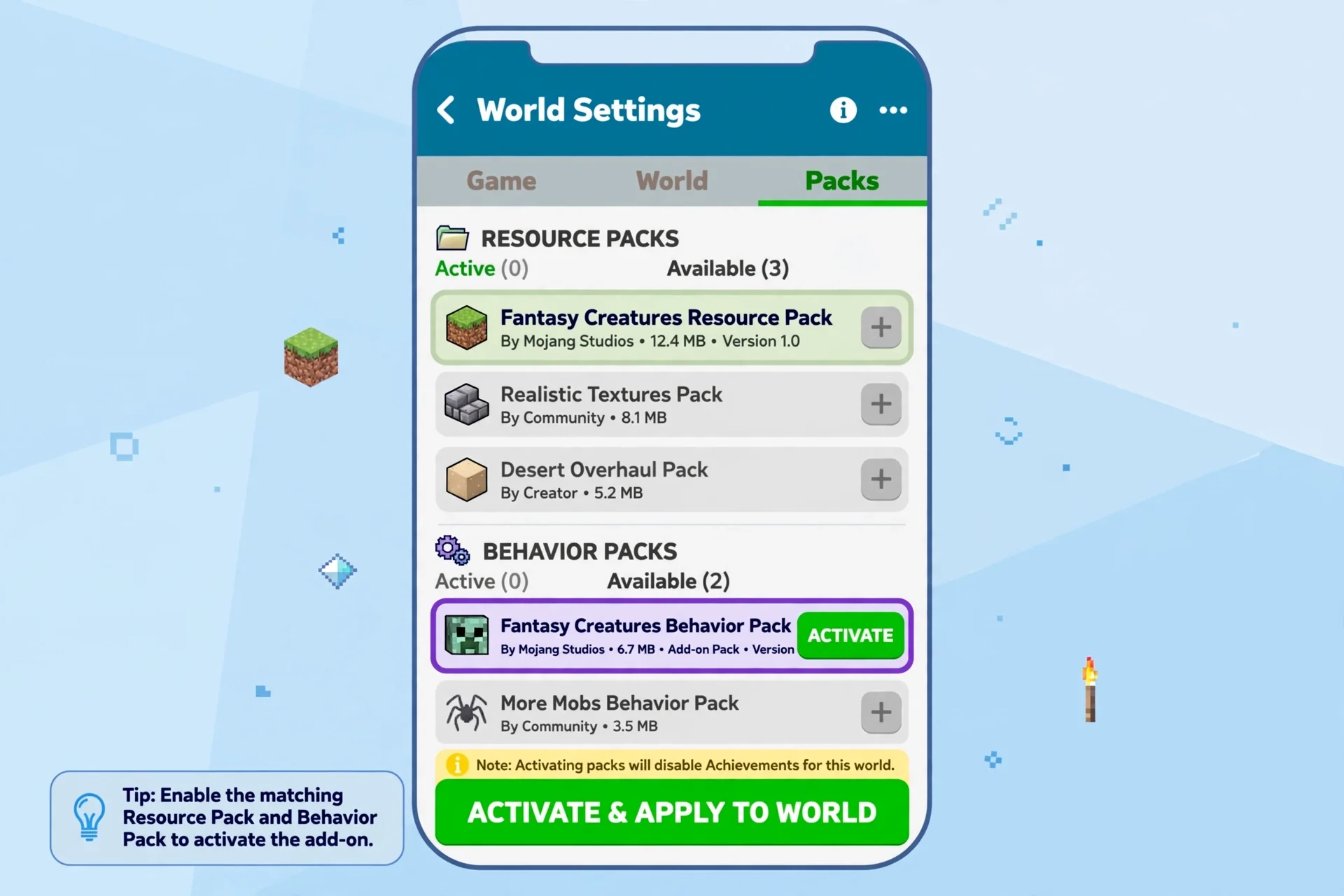
Playing Bedrock on Windows, Xbox or console (MCPE)? The same add-on file works across Bedrock platforms, but menus differ slightly per device. Our Jenny Mod MCPE & Bedrock guide covers the shared method and the per-device differences.
Playing on iPhone or iPad? iOS cannot install files the way Android can, so the method uses a file-import workaround inside Minecraft Bedrock for iOS. Follow the dedicated Jenny Mod on iOS guide — it is the only method we recommend for Apple devices.
On Windows 11? SmartScreen warnings, Defender flags and OneDrive folder redirects break installs that worked fine on Windows 10. Once your file is downloaded, the Jenny Mod on Windows 11 guide covers each Windows 11 quirk and its fix.
And if anything goes wrong after all this — crashes, loading errors, Jenny not spawning — the fixes live in one place: our troubleshooting guide for when Jenny Mod is not working.
Before You Download: What Your Device Needs
Two minutes of checking now saves an hour of troubleshooting later. For the Java edition, you need a PC, Mac or Linux machine running Minecraft Java Edition 1.12.2 with Forge 1.12.2 installed — no other Minecraft version can load this build. Your machine should have at least 4 GB of system RAM (8 GB or more gives a noticeably smoother experience once the mod and its animations are running) and roughly 500 MB to 1 GB of free storage beyond the game itself. A dual-core processor is the practical minimum; a modern quad-core handles the mod without stutter.
For Bedrock on Android, iOS, Windows 10/11 or Xbox, you need a current copy of Minecraft Bedrock that can import .mcaddon files, enough free storage for the game plus the add-on packs, and a world where you are allowed to change settings — the behaviour pack, resource pack and any experimental toggles the add-on requests all have to be switched on by you. If your device is shared or managed (a school Chromebook, for example), check that you can import files and edit world settings before downloading anything.
Which Version Should You Download?
This is the question that confuses most players, because Jenny Mod version numbers and Minecraft version numbers are two different things. The buttons on this page currently offer Jenny Mod v1.2.7 for Java — and that build belongs to Minecraft 1.12.2. If your Minecraft is 1.16.5, 1.18, 1.19, 1.20, 1.21 or anything newer, the 1.12.2 build will not load, no matter how carefully you install it: every Minecraft version needs its own compatible build, loader and dependencies. Java players who want the classic, fully-featured Jenny Mod should therefore run a dedicated 1.12.2 Forge profile just for this mod — it takes five minutes to create in the launcher and keeps your newer worlds untouched.
Bedrock players have it simpler: take the latest add-on build offered above, import it, and let Minecraft tell you if your game version is too old — Bedrock reports a version mismatch at import instead of crashing later. Whichever edition you play, ignore download pages that promise impossible combinations such as a single file that works on every version and every device at once. That file does not exist, and pages offering it are exactly the ones the safety checklist above is meant to protect you from.
Download Troubleshooting
- Download will not start? Disable aggressive ad-blockers for the download page, or try a different browser.
- File has the wrong extension? Never rename a
.jarto.mcaddon— the formats are not interchangeable. - Game does not detect the mod? Java players should confirm the Forge profile matches; Bedrock players should check that behaviour and resource packs are activated. Full walkthrough: Jenny Mod not working fixes.
- Install steps unclear? See how to install Jenny Mod for the complete step-by-step process.


13 Comments